Chat, canvas, recordings. Wherever you think.
Gelim starts from what you are already looking at and keeps the answer where you can use it. Every model from the leading providers we work with, through your Oddproof account. On your Mac, in your browser, on your iPhone.
Every model from the leading providers we work with, through your Oddproof account. Mac, browser, iPhone.
Free to install · uses the credit on your Oddproof account · create one
It already sees what you are working on.
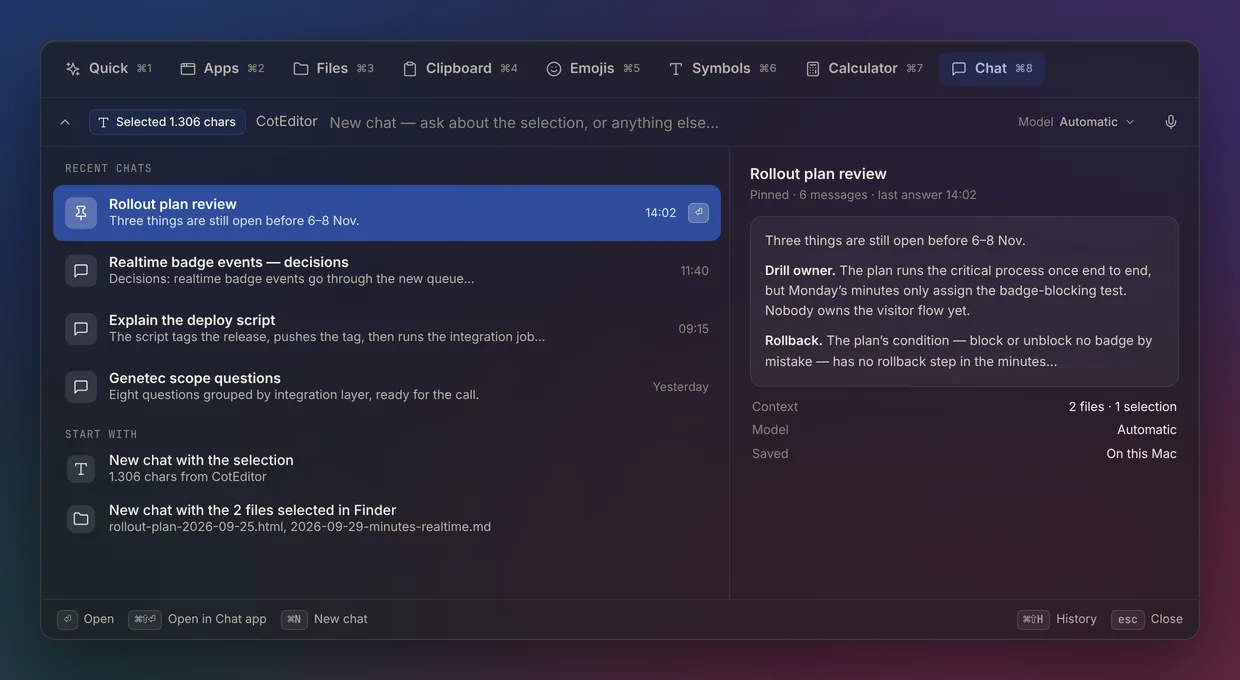
Open Gelim and the selection in your editor, the files in Finder and the page in Safari are one click from the message. Press ⌘8 in the launcher for a one-line question; answers go back into the app you came from.
Selection, files and pages one tap from the message.
One question becomes a page you can read, branch and visualize.One question becomes a page.
Ask once; read the answer as a document; select a sentence and branch from it; turn an idea into a diagram. Attach a paper, or on a Mac, a whole folder. Publish an edition anyone can read.
Read, branch, visualize; publish an edition.

Record, transcribe, translate — while it happens.Record, transcribe, translate — live.
Live text under every passage, in the other language too. Audio is saved on your device first; transcripts, action items and minutes follow. “Chat about this” starts an ordinary chat with the transcript attached.
Saved on your phone first. Chat about it afterwards.

The same app in your pocket, plus a keyboard.
Your chats, canvases and recordings, synced. The Gelim keyboard rewrites, summarizes and chats privately inside any app you type in.
Mac
The window that opens on launch, the launcher ⌘8 in any app, folders for canvases, multi-window.
Browser
Everything except the launcher and folders. Open a chat in a new tab, share a published canvas.
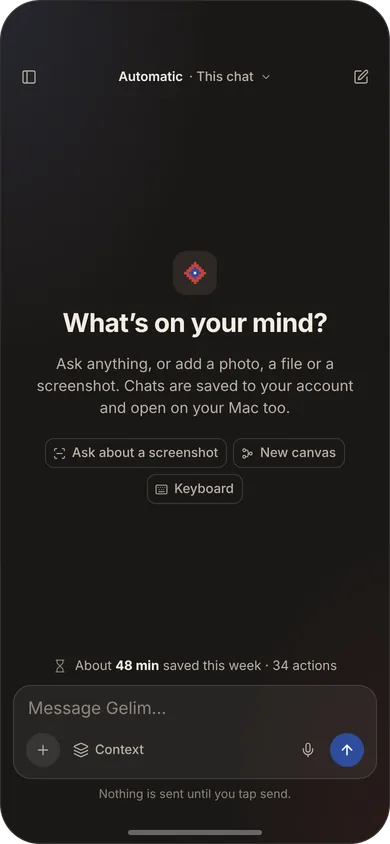
iPhone
Chat, canvas reader, recordings with offline capture, the keyboard, ask about a screenshot.
Create the account. Get credit. Sign in.
Gelim has no subscription. Your Oddproof account holds the credit, the team and the model choices; Gelim just uses them. Sponsored by a team? Sign in and it is already paid for.
- Create an Oddproof account
Email, or your team’s sign-in. Two-step verification when you want it.
- Get credit
Credit purchases are not open yet. During early access, credit is granted by the Oddproof team; write to hi@oddproof.ai. Or accept credit a colleague sent youComing soon.
- Sign in to Gelim
On any device. Your history follows you; your credit stays in the account.
A gelim is a flatweave rug. Its patterns are stepped because the weave allows nothing else.
Everything in it is made of the smallest unit the loom allows — and the whole is still a picture. That is the app: small, exact pieces of work that add up to understanding.